Patient Onboarding
Onboarding New Patients
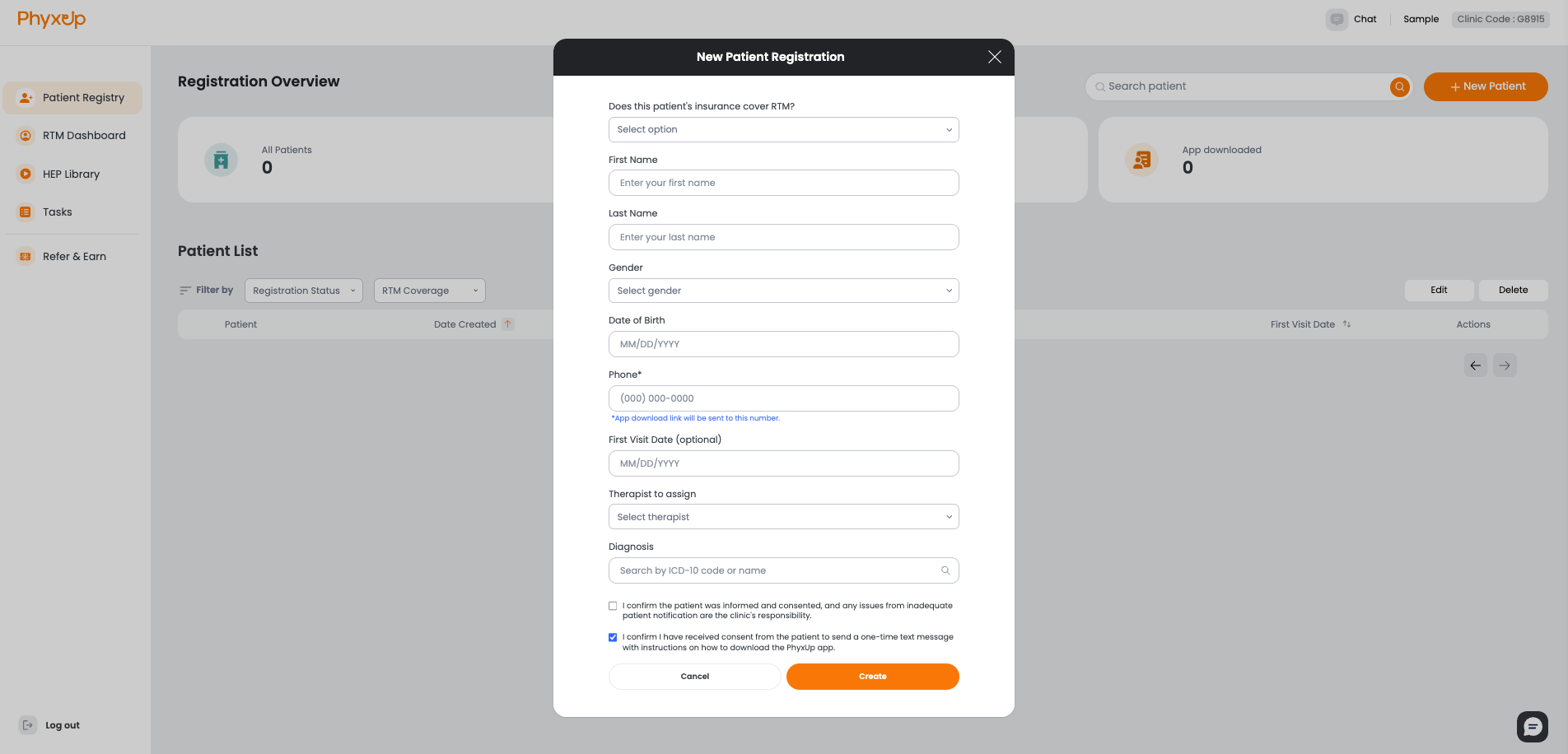
New patients can be registered through the Patient Registry. All information entered during patient creation must already exist in your clinic’s EMR before the patient is added to PhyxUp Health and onboarded.
Patient consent must be confirmed prior to enrolling the patient in RTM. Patients should also be informed about what the RTM service is, how it works, and how it will be provided as part of their care.
Here’s a sample message and introductory video you can send to patients
As part of your care plan with us, we will be using Remote Therapeutic Monitoring (RTM). This allows our care team to monitor your progress between visits and support your recovery. It's an application that you can download on your phone to receive your treatment plan, log pain levels, and communicate with us.
You may receive messages or calls through the RTM app. In the meantime, please keep an eye out for a text message with instructions to download the app and create an account using your phone number.
RTM Eligibility Check, App Download and First Visit
After a patient’s information is entered into the clinic’s EMR and the patient is created in PhyxUp Health, the platform will check insurance coverage to determine whether the patient is eligible for RTM services.
Once insurance coverage is confirmed, the patient will receive a text message with instructions to download the PhyxUp Health mobile app. RTM services begin after the app has been downloaded.
If the patient has not yet completed their first in-person clinic visit, RTM will not start until that visit has occurred.
To successfully onboard a patient, all of the following must be completed:
- Insurance coverage has been confirmed for RTM CPT codes (98975, 98985, 98977, 98979, 98980, 98981)
- The PhyxUp Health mobile app has been downloaded
- The patient has completed at least one in-person clinic visit
Daily Email Reports
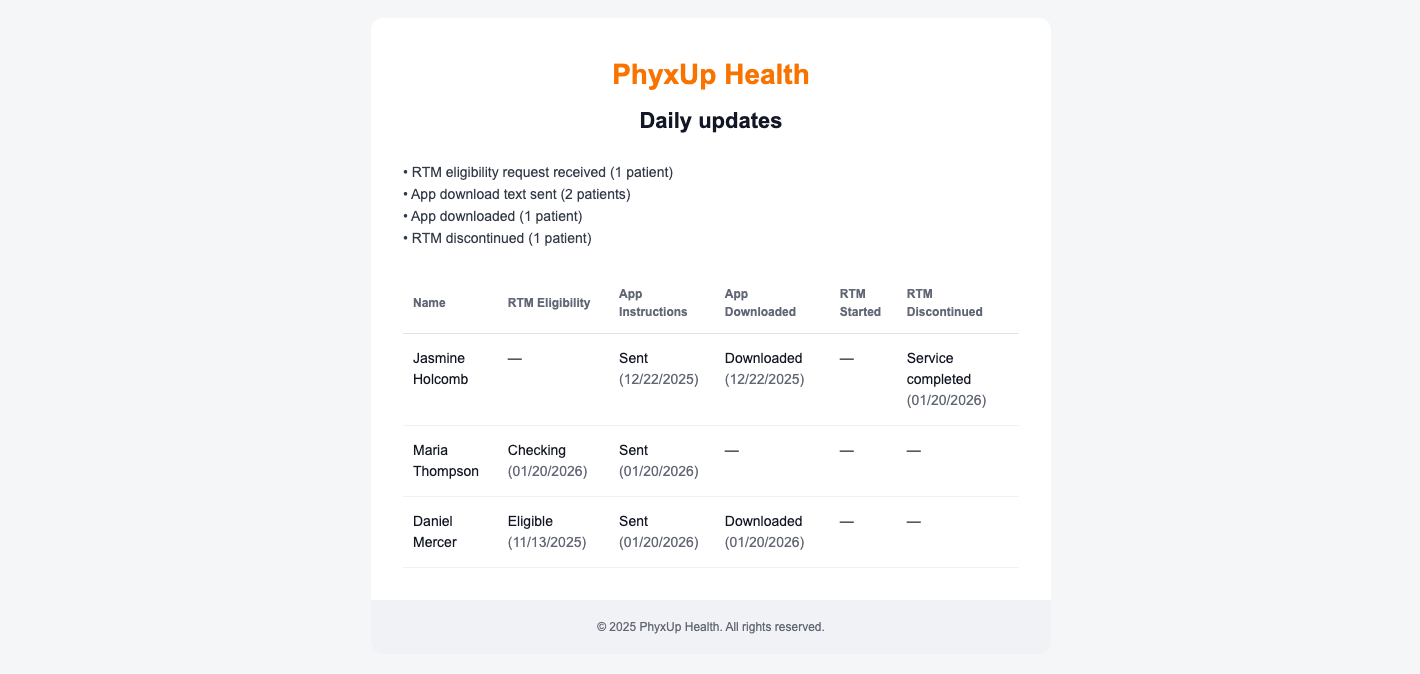
Daily reports on patient registration status are sent to your email each morning to help you stay up to date. Review these reports to identify patients who may be stuck in the registration process, and follow up with them as needed, including reminding them to download the app during appointments.